


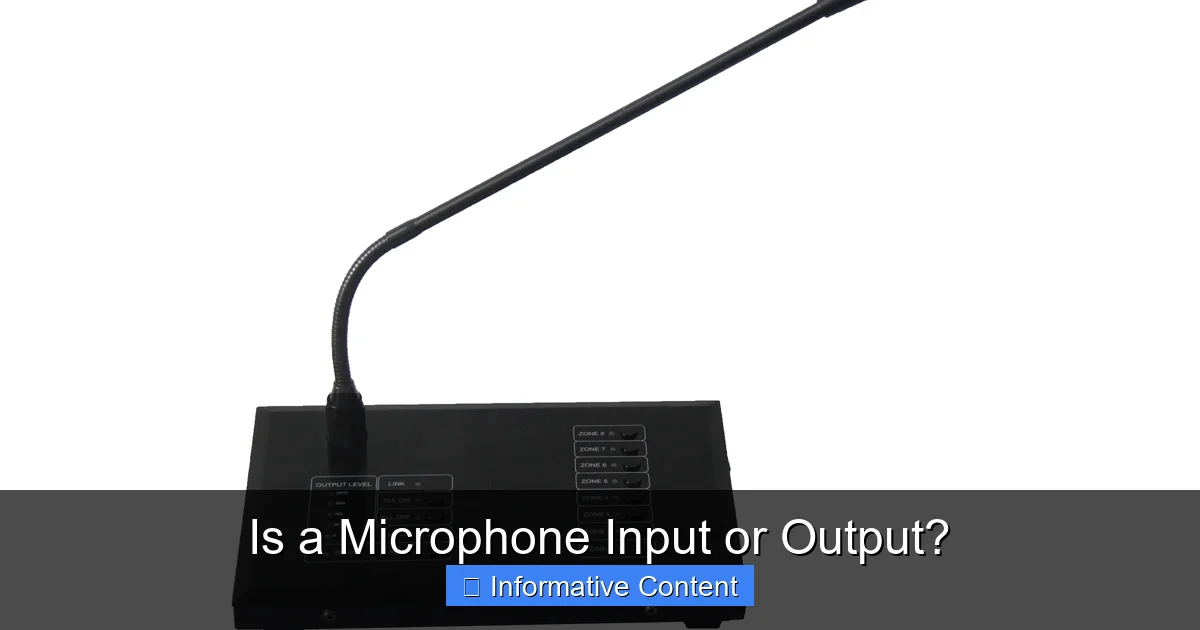
A microphone is unequivocally an input device. Its primary function is to capture sound waves and convert them into electrical signals that a computer or recording device can process. It does not produce sound itself; instead, it provides the raw audio data necessary for communication, recording, and broadcasting.
Have you ever found yourself staring at a cable, wondering which port to plug your microphone into? Or perhaps you’ve been in a conversation with a tech-savvy friend and heard terms like “input device” and “output device” thrown around, leaving you scratching your head. It’s a common point of confusion, especially in our increasingly connected world where audio equipment is everywhere, from your smartphone to professional recording studios. Understanding the basic role of each piece of gear is not just for audio engineers; it can genuinely help you set up your everyday devices, troubleshoot problems, and even make better purchasing decisions.
One of the most frequent questions that pop up in this realm of audio literacy is about microphones: **is a microphone input or output?** It sounds like a simple question, but the answer often comes with a need for explanation, as modern technology sometimes blurs the lines or combines functions in a single gadget. Let’s peel back the layers and uncover the definitive answer, along with why this distinction is so important for anyone who uses sound in their daily life.
By the end of this article, you’ll not only have a clear answer but also a deeper understanding of how microphones work, their place in the broader audio landscape, and practical knowledge to confidently navigate your audio setup. So, let’s dive into the fascinating world of sound capture and processing!
Key Takeaways
- Microphones are Input Devices: Their fundamental role is to capture external audio and feed it into a system.
- Sound to Electrical Signal: Mics act as transducers, converting acoustic energy (sound waves) into electrical energy.
- The Audio Chain: A microphone is just the first step in a longer audio process, which often involves preamplifiers, analog-to-digital converters, and recording software.
- Output Devices Produce Sound: Speakers and headphones are examples of output devices because they emit sound that you can hear.
- Distinction Matters for Setup: Understanding the difference is crucial for correctly connecting equipment, troubleshooting issues, and achieving optimal sound quality.
- Variety in Input: Different types of microphones (dynamic, condenser, USB) serve various input needs, each with unique characteristics for capturing sound.
- Common Misconceptions: Features like headphone jacks on USB mics can cause confusion, but these are for monitoring, not the mic’s primary function as an output.
📑 Table of Contents
- The Fundamental Answer: Is a Microphone Input or Output?
- How a Microphone Works: From Sound to Signal
- Understanding the Audio Signal Flow: Input to Output
- Common Misconceptions and Why They Arise
- Why Does This Distinction Matter? Practical Implications
- Types of Microphones and Their Input Roles
- Conclusion
The Fundamental Answer: Is a Microphone Input or Output?
To clear up the confusion right from the start, let’s state it plainly: a microphone is an input device. Its entire purpose revolves around bringing external information (in this case, sound) into a system. Think of it as a funnel, capturing the sound waves around it and sending them inwards for processing.
Defining Input vs. Output Devices
To truly grasp why a microphone is an input device, it helps to understand the core definitions.
- Input Devices: These are components that send data *into* a computer or another electronic system. They allow you to feed information, commands, or signals into the system. Common examples include keyboards (typing text), mice (moving a cursor), webcams (capturing video), and scanners (capturing images). In the audio world, input devices are all about capturing sound.
- Output Devices: These are components that receive data *from* a computer or electronic system and display, produce, or transmit it in a human-perceptible form. They allow the system to communicate information *out* to you. Everyday examples include monitors (displaying images), printers (producing physical documents), and speakers or headphones (producing sound).
The key differentiator lies in the direction of data flow. Input goes in; output comes out.
The Microphone’s Role in the Audio Chain
When you speak into a microphone, sing, or play an instrument in front of one, you are creating sound waves. These sound waves are physical vibrations in the air. The microphone’s job is to detect these vibrations and convert them into an electrical signal. This electrical signal is then sent to another device – perhaps a computer, a recording interface, or a mixing board – for further processing, recording, or transmission. The microphone itself doesn’t produce any sound for you to hear; it only takes sound *in*.
How a Microphone Works: From Sound to Signal
Understanding the mechanics behind a microphone helps solidify its role as an input device. It’s not magic, but rather a clever application of physics.
The Transducer Principle
At its heart, every microphone is a “transducer.” A transducer is any device that converts one form of energy into another. In the case of a microphone, it converts acoustic energy (sound waves) into electrical energy (an audio signal). This conversion is essential because electronic systems can only understand and process electrical signals, not physical air vibrations.
Dynamic Microphones Explained
Dynamic microphones are robust and widely used, especially for live performances and recording loud sources. They work on a principle similar to a tiny generator.
- Diaphragm: When sound waves hit the microphone, they cause a thin, flexible membrane called a diaphragm to vibrate.
- Voice Coil: Attached to this diaphragm is a coil of wire, known as the voice coil.
- Magnetic Field: The voice coil is suspended within a permanent magnetic field.
- Electrical Signal: As the diaphragm vibrates, it moves the voice coil within the magnetic field. This movement generates a small electrical current, which is the audio signal. This signal then travels out of the microphone through its cable.
This process clearly shows sound entering the microphone and an electrical signal exiting – a classic input function.
Condenser Microphones Explained
Condenser microphones are known for their sensitivity and detailed sound capture, often favored in studios. Their operation is slightly different:
- Diaphragm and Backplate: A condenser mic has a very thin, electrically charged diaphragm positioned close to a stationary metal plate, called a backplate. Together, these form a capacitor (or condenser).
- Voltage Applied: A voltage is applied across the diaphragm and backplate, creating an electric field.
- Vibration Changes Capacity: When sound waves hit the diaphragm, it vibrates, changing the distance between it and the backplate. This change in distance alters the capacitance of the capacitor.
- Electrical Signal: The changing capacitance, in turn, creates a varying electrical voltage, which is our audio signal. Condenser microphones often require “phantom power” (a small DC voltage supplied via the audio cable) to operate this capacitor.
Again, sound goes in, and an electrical signal comes out, confirming its input status.
USB Microphones: A Hybrid Approach (But Still Input)
USB microphones can sometimes confuse people because they often feature a headphone jack. However, this doesn’t change their fundamental nature.
- Integrated Conversion: A USB microphone is essentially a dynamic or condenser microphone with a built-in preamplifier and an Analog-to-Digital Converter (ADC). Instead of outputting an analog electrical signal (like XLR mics), it converts that analog signal into a digital signal *inside* the microphone itself.
- Digital Output: This digital signal is then sent directly to your computer via a USB cable.
- Headphone Jack: The headphone jack on a USB mic is an *output* from the mic’s internal sound card, allowing you to monitor your own voice with zero latency. It’s the *mic’s* output of sound *to you*, but it’s not the microphone’s function as an audio *input device*. The microphone element itself is still capturing sound as input.
Even with these added features, the primary role of the microphone part of the device is still to take sound in.
Understanding the Audio Signal Flow: Input to Output
To truly appreciate the microphone’s role, let’s trace the journey of sound from your mouth to someone else’s ears.
The Journey of Your Voice
Imagine you’re on a video call. You speak, and your friend hears you on their end. What happens in between?
1. You Speak (Acoustic Energy): Your vocal cords vibrate, creating sound waves that travel through the air.
2. Microphone Captures (Input): These sound waves hit your microphone’s diaphragm, which converts them into a tiny electrical signal.
3. Signal Amplification (Preamp): This electrical signal is usually very weak, so it goes into a preamplifier (either built into the mic, an audio interface, or your computer) which boosts its strength.
4. Analog-to-Digital Conversion (ADC): If the signal is analog, it then goes through an Analog-to-Digital Converter, which turns the continuous electrical waveform into discrete digital data that a computer can understand.
5. Digital Processing (Computer/Software): Your computer then processes this digital data – perhaps compressing it, adding effects, or mixing it with other sounds – via software like a DAW (Digital Audio Workstation) or your video conferencing app.
6. Digital-to-Analog Conversion (DAC): The processed digital audio is then sent to your friend’s computer. Before it can be heard, it’s converted back into an analog electrical signal by a Digital-to-Analog Converter (often part of their computer’s sound card).
7. Sound Production (Output): Finally, this analog electrical signal is sent to their speakers or headphones, which convert it back into audible sound waves for them to hear.
Where the Microphone Fits In
From this journey, it’s crystal clear: the microphone is right at the very beginning, performing the crucial initial step of converting real-world sound into an electronic format that can be handled by technology. It’s the gatekeeper for acoustic information entering the digital realm. Without this initial input, there would be no sound data for the rest of the chain to process.
What Happens After the Microphone? (Preamp, ADC, DAW)
Once the microphone has done its job of converting sound into an electrical signal, that signal usually needs a few more stops on its journey:
- Preamplifier: The signal from most microphones is quite weak (at “mic level”). A preamplifier boosts this signal to “line level,” making it strong enough for other audio equipment to work with effectively. Many audio interfaces, mixers, and even computer sound cards have built-in preamps.
- Analog-to-Digital Converter (ADC): For the audio to be processed by a computer or recorded digitally, it must be converted from an analog electrical signal to a digital data stream. An ADC performs this crucial conversion, taking snapshots of the analog waveform at rapid intervals.
- Digital Audio Workstation (DAW): Once digitized, the audio data can be manipulated, mixed, and recorded using software like a DAW (e.g., Audacity, GarageBand, Ableton Live, Pro Tools). This is where editing, adding effects, and combining tracks happens.
This entire process hinges on the microphone providing the initial audio input.
Common Misconceptions and Why They Arise
Despite the clear definition, confusion often lingers. Let’s tackle some common reasons why people might mistakenly think a microphone could be an output device.
Confusion with “Output” Ports
Sometimes, people see ports labeled “mic in” or “line in” on their computers or audio interfaces and associate the “in” with input, but then wonder if the device itself also has an “output” function. The port clearly indicates where the *signal goes*, confirming the mic’s input role. The confusion often arises from the general perception of a “port” as something that *could* potentially send data both ways, even if that’s not its primary function in a specific context.
The Headphone Jack on USB Mics
As discussed, many USB microphones come with a built-in headphone jack. This is a fantastic feature for monitoring your own voice in real-time, without delay (zero-latency monitoring). However, this jack is an *output* from the microphone’s *internal sound card*, allowing you to hear audio. It is not the microphone itself acting as an output device in terms of generating the primary sound for others to hear. The sound you hear through those headphones is the processed sound from the microphone’s input, looped back to you, or even audio playing from your computer. The microphone’s fundamental function as a device that captures sound remains input-only.
Microphones as Part of Combined Devices
Another source of confusion comes from devices that integrate multiple functions. For example, a headset typically includes both a microphone and headphones. The headphones are undoubtedly an output device, while the microphone portion is an input device. Similarly, a webcam often has a built-in microphone (input) and a camera (another input device for video). While the product as a whole might have both input and output capabilities (e.g., a smart speaker with a mic and speaker), the microphone component specifically is always for input. It’s important to separate the individual components’ roles within a multi-functional gadget.
Why Does This Distinction Matter? Practical Implications
Understanding that a microphone is an input device isn’t just a technicality; it has real, practical implications for how you use and interact with audio technology.
Setting Up Your Audio Equipment Correctly
Knowing the difference means you’ll plug your microphone into an “input” port (like a mic jack, XLR input on an audio interface, or a USB port for USB mics). You wouldn’t plug it into a “headphone out” or “speaker out” port because those are designed to send signals *out*, not receive them *in*. Incorrect connections won’t work, and in some rare cases, could even potentially damage equipment.
Troubleshooting Audio Issues
When your microphone isn’t working, knowing its role as an input device guides your troubleshooting. You’d check if it’s properly connected to an *input* source, if the input level is high enough, if the correct input device is selected in your software, or if phantom power is enabled for condenser mics. You wouldn’t be looking for it to “output” sound directly.
Choosing the Right Gear
If you need to record your voice, you know you need to invest in a good *microphone* (an input device). If you need to hear sound, you invest in *speakers* or *headphones* (output devices). This fundamental understanding helps you make informed purchasing decisions based on your actual needs. For instance, if you’re buying an audio interface, you’d prioritize models with good mic preamps and XLR *input* jacks.
Enhancing Your Recording Quality
A deep understanding of the audio chain, starting with the microphone as an input, allows you to optimize your sound. You’ll learn about microphone placement to capture the best input, understand why a clean, strong input signal is vital (gain staging), and how to avoid clipping or noise *at the input stage*. This foundational knowledge is key to achieving professional-sounding recordings.
Types of Microphones and Their Input Roles
While all microphones serve as input devices, they do so with different characteristics and for different purposes. This variety allows us to choose the best input tool for a specific job.
Dynamic Mics for Robust Input
As mentioned, dynamic microphones are workhorses. They are excellent for capturing loud sounds without distortion and are very durable. They are a go-to input device for:
- Live Vocals: Think of a singer on stage; an SM58 is a classic dynamic input.
- Drums and Guitar Amps: Their ability to handle high sound pressure levels makes them ideal inputs for energetic instruments.
- Podcasting (Entry-Level): Many popular podcasting mics are dynamic, providing a clear, focused vocal input.
Condenser Mics for Detailed Input
Condenser microphones excel at capturing nuance and detail due to their sensitivity. They require phantom power but offer a wide frequency response. They are preferred input devices for:
- Studio Vocals: For pristine, detailed vocal recordings.
- Acoustic Instruments: Capturing the subtle harmonics of a guitar, piano, or orchestral instruments.
- Voice-overs and Broadcast: For professional-sounding speech input where clarity is paramount.
Ribbon Mics for Warm Input
Ribbon microphones are another type of dynamic mic, prized for their warm, natural sound and often figure-8 polar pattern. They are delicate but produce a unique input quality, often used for:
- Guitar Amplifiers: To capture a rich, classic tone.
- Brass Instruments: For a smooth, non-harsh input.
- Vocals: When a vintage, mellow vocal input is desired.
Specialized Mics for Specific Inputs (Lavalier, Shotgun)
Many other types of microphones are designed for particular input scenarios:
- Lavalier Microphones: Small, clip-on mics used for discreet vocal input in interviews, presentations, and filmmaking. They focus on capturing the speaker’s voice clearly.
- Shotgun Microphones: Highly directional mics designed to capture sound from a specific point while rejecting off-axis noise. Essential for capturing dialogue input in film and TV production from a distance.
- Boundary Microphones: Designed to lie flat on a surface, they use the boundary effect to enhance clarity for conference calls or stage productions, acting as a discreet group input.
In every one of these cases, regardless of their design, sensitivity, or specific application, their core function remains the same: to act as an input device, converting sound waves into electrical signals for use by another system.
Conclusion
So, to finally put the question to rest: a microphone is definitively an input device. Its sole mission in the world of audio is to capture sound and translate it into an electrical signal that computers and other recording devices can understand and process. It doesn’t generate sound for you to hear; it brings sound *in*.
Understanding this fundamental distinction between input and output devices is more than just academic knowledge. It’s a foundational piece of information that empowers you to correctly set up your audio equipment, troubleshoot problems efficiently, make smart purchasing decisions, and ultimately, achieve better audio quality in your recordings, broadcasts, or communications. The next time you pick up a microphone, you’ll know exactly what it’s doing – tirelessly converting the vibrant world of sound into usable electronic data, acting as the vital first step in countless audio journeys.
Frequently Asked Questions
What’s the difference between an input and output device?
An input device sends data or signals into a computer or system, while an output device receives data from a system and displays or produces it in a human-perceptible form. Think of input as feeding information *in* and output as receiving information *out*.
Can a microphone also be an output device?
No, a microphone itself is solely an input device. While some modern microphones (like USB mics) might have a built-in headphone jack, that jack is an output from the mic’s internal sound card for monitoring, not the microphone element acting as an output device.
Why do some microphones have a headphone jack?
Many USB microphones include a headphone jack for “zero-latency monitoring.” This allows you to hear your own voice or other computer audio directly from the microphone’s internal processing, without any noticeable delay, which is crucial for recording and live streaming.
Is a webcam’s microphone an input or output?
The microphone component of a webcam is an input device. It captures sound from your environment and sends it into your computer. The camera itself is also an input device, capturing video.
What happens if I plug a microphone into an output port?
If you plug a microphone into an output port (like a headphone jack or speaker out), it simply won’t work. Output ports are designed to send electrical signals out, not to receive the very low-level signals a microphone produces. It won’t typically cause damage, but no audio will be captured.
Do all microphones work the same way as input devices?
While all microphones function as input devices, converting sound to electrical signals, they use different physical principles (e.g., dynamic vs. condenser) and have varying sensitivities, frequency responses, and polar patterns. These differences dictate which type of microphone is best suited for capturing specific kinds of sound input.
