


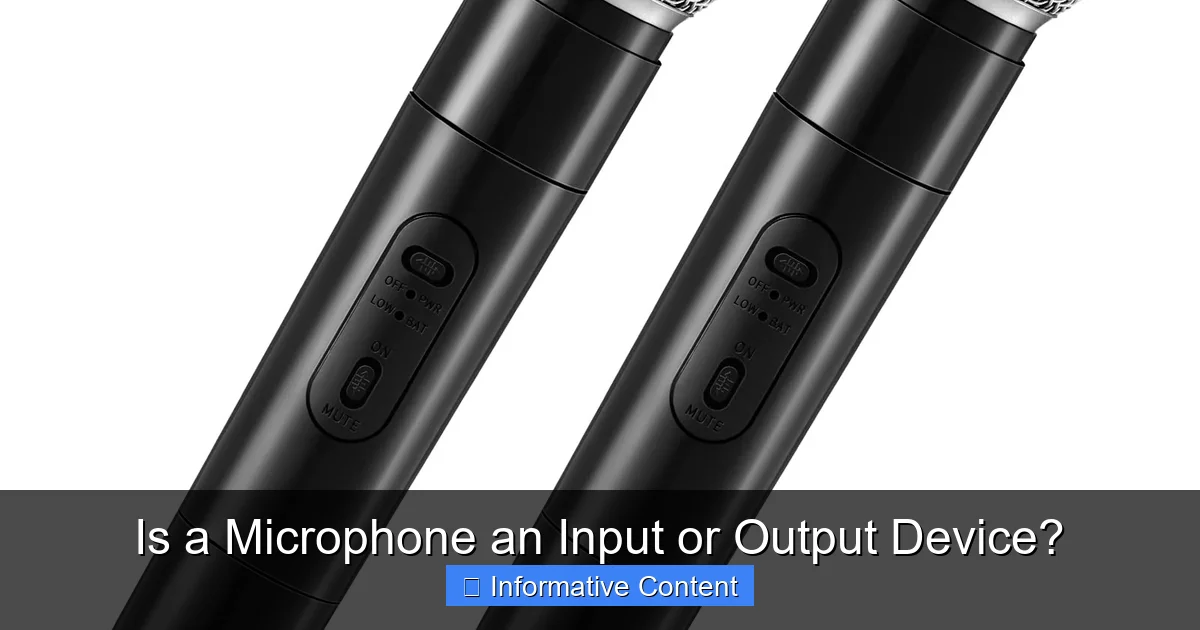
A microphone is unequivocally an input device. It captures sound waves from the environment and converts them into electrical signals that your computer or recording device can process. While some devices like headsets combine both a microphone (input) and headphones (output), the microphone’s sole function is to feed information *into* a system.
Have you ever paused during a video call or while setting up your recording gear and wondered, “Is a microphone an input or output device?” It’s a common question, and honestly, it’s a perfectly valid one to ask! In our tech-filled world, where devices often wear multiple hats, distinguishing between how they send and receive information can sometimes feel a bit like solving a riddle.
But let’s cut to the chase and clear up the mystery right away: A microphone is, without a doubt, an input device. Its job is to capture sound from the world around you and send that information *into* your computer, phone, or recording equipment. Think of it as a one-way street for sound, always flowing inwards.
In this comprehensive guide, we’re going to dive deep into what makes a microphone an input device. We’ll explore the fundamental differences between input and output, uncover why this common confusion exists (hello, headsets!), and look at the many ways microphones serve as essential tools in our daily lives. By the end of this article, you’ll have a crystal-clear understanding and be able to confidently explain the role of this ubiquitous piece of technology.
Key Takeaways
- A Microphone is an Input Device: Its primary function is to capture sound from the real world and convert it into a digital signal that a computer or recording system can understand and process.
- Information Flow is Crucial: Input devices bring information *into* a system, while output devices send information *out* of a system. Microphones always direct information inward.
- Transducer Role: Microphones act as transducers, transforming one form of energy (acoustic sound waves) into another (electrical signals).
- Confusion Arises from Hybrids: The common confusion often stems from devices like headsets, which contain both a microphone (input) and headphones (output) in one physical unit.
- Headsets are Dual-Function: In a headset, the microphone component is still an input device, and the headphone component is an output device, even though they share a single connection.
- Essential for Communication & Creation: Microphones are vital for tasks like online calls, voice recording, podcasting, gaming communication, and interacting with voice-controlled AI assistants.
- Different Types for Different Needs: Various microphone types (dynamic, condenser, USB, XLR) exist, but all serve the fundamental purpose of inputting sound.
📑 Table of Contents
Understanding Input vs. Output Devices: The Core Distinction
To truly grasp why a microphone falls into the “input” category, we first need to establish a clear understanding of what input and output devices are. It’s a foundational concept in computing that helps us understand how we interact with our technology.
What is an Input Device?
Simply put, an input device is any piece of hardware that sends data or signals *to* a computer or another information processing system. Its purpose is to take information from the outside world (or a user) and translate it into a format that the computer can understand and work with. Think of it as the “eyes,” “ears,” or “fingers” of your computer, allowing it to perceive and react to external stimuli.
Imagine you’re typing an email. Your keyboard is an input device; it takes the letters you press and sends them to the computer. When you move your mouse, that movement is translated into signals that tell the cursor where to go on your screen – the mouse is another classic input device. Other examples include scanners (which turn physical documents into digital images), webcams (which capture visual information), and touchscreens (which take your finger gestures as commands). The key here is that information is *entering* the system.
What is an Output Device?
Conversely, an output device is hardware that receives data or signals *from* a computer or processing system and translates it into a human-understandable form or sends it to another device. It’s how the computer communicates back with you or the outside world.
When you read this article on your screen, your monitor is acting as an output device, displaying the text and images generated by your computer. If you print a document, your printer is an output device, taking digital information and rendering it onto paper. Speakers are another excellent example; they take electrical signals from your computer and convert them into audible sound waves. In essence, output devices are how the computer “speaks,” “shows,” or “plays” information *out* for you to perceive.
The Role of a Transducer
Many input and output devices, including microphones, fall under a broader category called “transducers.” A transducer is any device that converts one form of energy into another. For a microphone, this means converting acoustic energy (sound waves) into electrical energy (signals the computer can use). Speakers do the reverse: they convert electrical energy back into acoustic energy. This energy conversion is fundamental to how information moves in and out of our digital systems.
The Microphone: A Pure Input Device
With the basic definitions out of the way, let’s focus specifically on the microphone and solidify its identity as an input device.
How a Microphone Works: From Sound to Signal
At its heart, a microphone is a marvel of engineering designed to capture vibrations in the air – what we perceive as sound. When you speak, sing, or make any noise, those sound waves travel through the air and hit a sensitive component inside the microphone, often a diaphragm. This diaphragm vibrates in response to the sound waves.
Different types of microphones use various mechanisms to convert these vibrations into electrical signals:
- Dynamic Microphones: A coil attached to the diaphragm moves within a magnetic field, generating an electrical current.
- Condenser Microphones: The diaphragm acts as one plate of a capacitor. As it vibrates, it changes the distance between the plates, altering the capacitance and creating an electrical signal.
Regardless of the internal mechanism, the end result is an electrical signal that mirrors the characteristics of the original sound wave. This electrical signal is then sent to your computer.
The Direction of Information Flow
This conversion process clearly demonstrates why a microphone is an input device. The flow of information is always *from* the external environment (your voice, an instrument, ambient sounds) *into* the recording or processing system. The microphone doesn’t produce sound for you to hear; it captures it. It’s the digital ear that listens to the world and feeds what it hears into your device.
Think of it like this:
- You speak → Microphone captures sound → Microphone sends signal → Computer receives signal.
The arrow only points one way: inwards.
Common Misconceptions: Separating Input from Output
The most significant source of confusion regarding “is a microphone an input or output device” often comes from the existence of headsets. Many people use headphones that have a microphone attached, and because both functions are combined into one unit, it’s easy to assume the whole thing is one type of device. However, it’s crucial to understand that even in a headset, the microphone component is distinctly separate in function from the headphone component. The microphone is input, and the headphones are output. We’ll delve deeper into this next.
Why the Confusion? Dual-Function Devices and Combo Jacks
The modern tech landscape is full of clever integrations, and sometimes these integrations blur the lines of fundamental definitions. Headsets are a prime example of this, leading many to wonder if a microphone is an input or output device.
Headsets: The Hybrid Example
A headset is a perfect illustration of a device that contains both input and output functionalities in a single physical unit.
- The Headphone Component: This part consists of the speakers that sit over or in your ears. Its job is to take electrical audio signals *from* your computer and convert them into sound waves that you can hear. This makes the headphones a clear output device.
- The Microphone Component: This is the small boom or embedded mic designed to capture your voice. As we’ve established, it takes your spoken words (sound waves) and converts them into electrical signals *for* your computer. This makes the microphone a clear input device.
So, when you’re wearing a headset, you’re using an output device (the headphones) to hear your friend’s voice and an input device (the microphone) to speak back to them. Two distinct functions, one convenient package. It’s like having a pen (input for writing) and an eraser (output for removing mistakes) on opposite ends of the same tool – they perform different, opposite tasks.
TRRS Jacks and Combo Ports
Adding to the confusion is the prevalence of TRRS (Tip-Ring-Ring-Sleeve) audio jacks, commonly found on laptops, smartphones, and gaming controllers. Unlike older TRS (Tip-Ring-Sleeve) jacks that typically only carried stereo audio *output*, TRRS jacks are designed to handle both stereo audio output *and* microphone input over a single 3.5mm connector.
This means you can plug a headset with a single TRRS plug into a “combo jack” on your device, and it will handle both the sound coming *out* of your headphones and the sound going *in* from your microphone. While incredibly convenient, this integration can make it seem like the entire port and the device connected to it are performing a unified, ambiguous function, rather than clearly separating input and output roles. Understanding that the single jack simply provides pathways for both input and output signals simultaneously helps clarify the microphone’s role.
USB Microphones: Still Input, but with a Twist
You might also encounter USB microphones. These often contain an Analog-to-Digital Converter (ADC) built right into the microphone unit itself. Instead of sending an analog electrical signal to your computer’s sound card for conversion, the USB mic converts the analog sound into a digital signal internally and sends that digital data directly over the USB cable.
Does this change its status? Not at all. The fundamental function remains the same: capturing sound *from* the environment and sending it *into* the computer. The ADC simply streamlines the process, making it a more self-contained input device.
Practical Applications of Microphones as Input Devices
Microphones are not just technical curiosities; they are indispensable tools that power countless aspects of our digital lives. Understanding that a microphone is an input device helps us appreciate its crucial role in these applications.
Communication: Connecting Voices Across Distances
This is perhaps the most obvious and widespread use.
- Voice Calls & Video Conferencing: Whether it’s a casual chat with family on Zoom, a professional meeting on Microsoft Teams, or a stand-up scrum on Google Meet, your microphone is the bridge that carries your voice to others. Without it, these interactions would be silent and largely impossible.
- VoIP (Voice over Internet Protocol): Services like Skype or Discord rely entirely on microphones to enable real-time voice conversations over the internet.
- In-Game Chat: For gamers, communicating with teammates is vital. A gaming headset’s microphone allows players to coordinate strategies, call out enemies, and share victorious shouts.
In all these scenarios, the microphone’s role is purely to input your voice into the communication platform.
Content Creation: Bringing Ideas to Life
For creators, a good microphone is as essential as a good camera for a photographer.
- Podcasting: The entire premise of a podcast rests on capturing spoken audio. A quality microphone ensures that hosts’ voices are clear, engaging, and professional.
- Music Recording: From vocals to acoustic instruments, microphones are the primary means of capturing sound in a studio or home recording setup. Different mics are chosen for different instruments and voices based on their unique input characteristics.
- Voiceovers & Narration: Whether for explainer videos, documentaries, audiobooks, or e-learning modules, crisp voiceover audio starts with a reliable input from a microphone.
- Streaming: Live streamers on platforms like Twitch and YouTube use microphones to interact with their audience, comment on gameplay, or host discussions.
In each case, the microphone is actively *inputting* creative content into the digital realm.
Voice Control and AI: The Future of Interaction
The rise of artificial intelligence and voice assistants has made the microphone an even more integral input device.
- Smart Assistants: Devices like Amazon Echo (Alexa), Google Home (Google Assistant), and Apple HomePod (Siri) are essentially sophisticated microphones constantly listening for your commands. When you say “Hey Google,” the microphone inputs that sound, which the device then processes.
- Smartphone Voice Control: From dictating texts to asking for directions, the microphone on your phone acts as the primary input for these convenient features.
- Transcription Services: Many apps and services can transcribe spoken words into text, all starting with the microphone feeding in the audio.
Here, the microphone is the direct interface between human speech and artificial intelligence, serving as the critical input portal for verbal commands and data.
Choosing the Right Microphone for Your Needs
Since a microphone is an input device, selecting the right one depends heavily on what kind of sound you want to input and for what purpose. Understanding the varieties can help you make an informed decision.
Types of Microphones
The world of microphones is diverse, but here are some common categories:
- Dynamic Microphones: Robust, durable, and good for live performances and loud sound sources (like vocals or drums). They don’t require external power. The Shure SM58 is a classic example.
- Condenser Microphones: More sensitive and detailed, making them excellent for studio vocals, acoustic instruments, and podcasting. They require “phantom power” (often provided by an audio interface or mixer) to operate. USB microphones are often condenser types.
- Ribbon Microphones: Known for their warm, natural sound, often used for vocals and instrument recording in professional studios. They are very delicate.
- USB Microphones: Plug-and-play simplicity. These microphones connect directly to your computer via USB, often containing their own analog-to-digital converter. Great for beginners, podcasting, and online meetings.
- XLR Microphones: These professional-grade microphones connect via an XLR cable to an audio interface or mixer, which then connects to your computer. They offer superior sound quality and flexibility but require additional equipment.
Connectivity Options
How your microphone connects to your device is another crucial factor:
- 3.5mm Jack: Common for basic computer microphones and headsets. Can be a simple TRS (output only) or TRRS (combined input/output) connector.
- USB: Direct digital connection to computers, easy setup, and often good quality for home users.
- XLR: Standard for professional audio, offering balanced signals and robust connections. Requires an audio interface with preamps.
Factors to Consider When Choosing
When deciding on a microphone, always keep in mind its primary function as an input device:
- Purpose: What will you use it for? (e.g., voice calls, singing, podcasting, gaming)
- Environment: Where will you be using it? (e.g., quiet home studio, noisy office, live stage)
- Budget: Microphones range from inexpensive clip-ons to high-end studio equipment.
- Compatibility: Does it work with your existing setup (e.g., computer, audio interface)?
- Sound Quality: How important is fidelity? For casual calls, a basic mic is fine; for professional recordings, higher quality is paramount.
By considering these factors, you ensure you choose an input device that effectively captures the sound you need for your specific application.
Conclusion
So, let’s put the question to rest once and for all: Is a microphone an input or output device? The answer is definitively clear. A microphone is an input device, designed solely to capture sound waves from the external world and convert them into electrical signals that can be processed by a computer or recording system. Its purpose is to feed information *into* a system.
While the convenience of modern technology sometimes bundles microphones with output devices like headphones into single units or combo jacks, the fundamental role of the microphone itself never changes. It remains the vital “ear” of your digital setup, enabling communication, fostering creativity, and powering the ever-growing world of voice-controlled technology.
Understanding this distinction isn’t just a technicality; it’s key to effectively using and troubleshooting your audio equipment. So, the next time you pick up a mic or plug in your headset, you’ll know exactly which part is doing the listening and which is doing the talking, confidently affirming its essential role as an input device in our interconnected world.
Frequently Asked Questions
What is the primary function of a microphone?
The primary function of a microphone is to capture sound waves from its environment and convert them into electrical signals that can be processed, recorded, or transmitted by a computer or other electronic device. It acts as a transducer, transforming acoustic energy into electrical energy.
Can a microphone also be an output device?
No, a microphone itself cannot be an output device. Its design and function are exclusively for inputting sound. Any device that appears to be both, like a headset, contains two separate components: a microphone for input and headphones for output.
Why do people often get confused about whether a microphone is an input or output device?
The confusion often stems from devices like headsets, which combine both a microphone (input) and headphones (output) into a single physical unit. Additionally, modern combo audio jacks that handle both input and output signals simultaneously can contribute to this misunderstanding.
How do I identify if a device is an input or output device?
To identify if a device is input or output, ask yourself: Is information flowing *into* the computer/system from this device (input), or is information flowing *out* of the computer/system to be perceived or used by me/the outside world (output)?
What are some common uses for a microphone as an input device?
Microphones are commonly used as input devices for voice communication (video calls, online gaming), content creation (podcasting, music recording, voiceovers), and interacting with voice-controlled assistants (Siri, Alexa, Google Assistant).
Do USB microphones function differently regarding input/output?
While USB microphones include an internal analog-to-digital converter (ADC) to send digital audio directly to your computer, their fundamental role remains that of an input device. They still capture sound from the environment and feed it into the system, just in a more integrated, digital format.
