


Want to learn how to draw a microphone? This comprehensive guide breaks down the process into simple, manageable steps, suitable for artists of all levels. You’ll discover the basic shapes, essential details, and shading techniques needed to create realistic microphones, from classic handhelds to sleek studio condensers. Get ready to bring your sound-capturing tools to life on paper!
How Do You Draw a Microphone?
Have you ever wanted to capture the essence of sound on paper? Perhaps you’re illustrating a musician, a podcaster, or just want to add a cool, iconic object to your sketchbook. Drawing a microphone might seem a bit tricky at first glance, with its metallic sheen, intricate grille, and distinct shape. But guess what? It’s much simpler than you think! Just like learning to play an instrument, breaking it down into smaller, manageable steps makes all the difference.
This guide is designed to walk you through the entire process, no matter your current drawing skill level. We’ll start with the very basics – what tools you’ll need – and then move into understanding the fundamental shapes that make up a microphone. From there, we’ll dive into a step-by-step tutorial to draw a classic handheld mic, explore different types, and finish with some pro tips to add that extra sparkle of realism. By the end, you’ll feel confident in your ability to draw a microphone that truly looks like it’s ready to capture some amazing sound!
Key Takeaways
- Start with Basic Shapes: Cylinders, ovals, and rectangles form the foundational structure for most microphones, simplifying the initial sketch.
- Understand Microphone Anatomy: Familiarize yourself with parts like the grille, body, and connector, as this knowledge helps you add accurate and recognizable details.
- Master the Mesh: The intricate pattern of the microphone’s grille (whether crosshatch or dot matrix) is crucial for conveying realism and texture.
- Utilize Shading and Highlights: Applying proper light and shadow creates depth, roundness, and makes your microphone drawing appear metallic and three-dimensional.
- Practice Different Perspectives: Experimenting with various angles and positions will make your microphone drawings more dynamic and versatile for different artistic contexts.
- Don’t Forget the Details: Adding elements like cables, stands, and subtle reflections provides context, enhances realism, and gives your artwork a professional touch.
- Explore Different Types: Learn to draw a variety of microphones, such as dynamic, condenser, and lavalier, to broaden your artistic range and understanding of their unique forms.
📑 Table of Contents
Getting Started: Your Drawing Toolkit
Before we even think about how to draw a microphone, let’s make sure you have the right gear. Don’t worry, you won’t need anything super fancy to get started. Most of these items are probably already lying around your house or are easily picked up from any art or stationery store. Having the right tools makes the process smoother and more enjoyable, setting you up for success in your microphone drawing journey.
Essential Supplies
- Pencils: You’ll want a few different types. An HB pencil is great for general sketching. A harder pencil (like a 2H) is perfect for light construction lines that are easy to erase, while a softer pencil (like a 2B or 4B) is fantastic for darker lines and shading.
- Eraser: A good quality vinyl or kneaded eraser is a must. A kneaded eraser is especially handy because you can mold it to lift graphite gently without damaging the paper. It’s excellent for subtly lightening areas or creating highlights when you draw a microphone.
- Paper: Any standard drawing paper will do. Bristol board or a slightly thicker sketchpad can hold up better to multiple layers of graphite and erasing.
- Ruler: While we’ll mostly be freehanding, a ruler can be useful for creating perfectly straight initial construction lines, especially for the body of the microphone.
Optional Extras
- Blending Stump or Tortillon: These paper tools are amazing for smoothing out graphite and creating seamless transitions in your shading. They help give your microphone drawing that professional, polished look.
- Reference Images: Even experienced artists use references! Find some pictures of the specific type of microphone you want to draw. Look at different angles and lighting conditions to really understand its form. This is perhaps one of the most important “tools” for learning how to draw a microphone accurately.
- Fineliner Pen: If you want to ink your drawing after you’ve sketched it, a fineliner pen (like a 0.1mm or 0.3mm) can add crisp, clean lines to your finished microphone drawing.
Gather your tools, take a deep breath, and let’s move on to deconstructing the microphone!
Understanding the Basic Shapes of a Microphone
Before you jump into drawing details, it’s super helpful to break the microphone down into its most basic geometric shapes. Think of it like building with LEGOs – you start with simple blocks and then add more intricate pieces. Most microphones, despite their varied appearances, are built upon a foundation of cylinders, spheres, and rectangles. When you understand these underlying forms, you’ll find it much easier to draw a microphone with correct proportions and perspective.
The Classic Dynamic Microphone (e.g., Shure SM58)
This is probably what most people picture when they think of a microphone. It’s often handheld and durable.
- The Grille: This is the top part, usually a round or slightly oval mesh cage. Think of it as a sphere or a rounded cylinder.
- The Body: This is the handle, where you hold it. It’s typically a cylinder, sometimes tapering slightly.
- The Connector: At the very bottom, where the cable plugs in, is often a smaller, short cylinder or a series of concentric circles.
The Studio Condenser Microphone
These are often larger, more delicate, and seen in recording studios. They come in various shapes.
- Large Diaphragm: Often a larger, more rectangular or cylindrical body, sometimes with a prominent, often square or circular grille on the front.
- Small Diaphragm (Pencil Mic): Looks like a slim, elongated cylinder with a small grille at one end.
The Lavalier/Lapel Mic
These are tiny, clip-on microphones.
- The Capsule: A very small cylinder or sphere.
- The Clip: A small, usually rectangular or curved piece of plastic.
For our main step-by-step guide, we’ll focus on the classic dynamic microphone, as it offers a great foundation for learning how to draw a microphone before tackling more complex forms.
Step-by-Step Guide: Drawing a Classic Handheld Microphone
Alright, grab your pencil and paper! We’re going to tackle a common, iconic handheld microphone – think of the kind a singer might use on stage. This detailed breakdown will help you understand how to draw a microphone from the ground up, building confidence with each stroke.
Step 1: The Foundation – Basic Shapes
Start light! Use your 2H or HB pencil to sketch these initial shapes very gently, as they’ll be erased later.
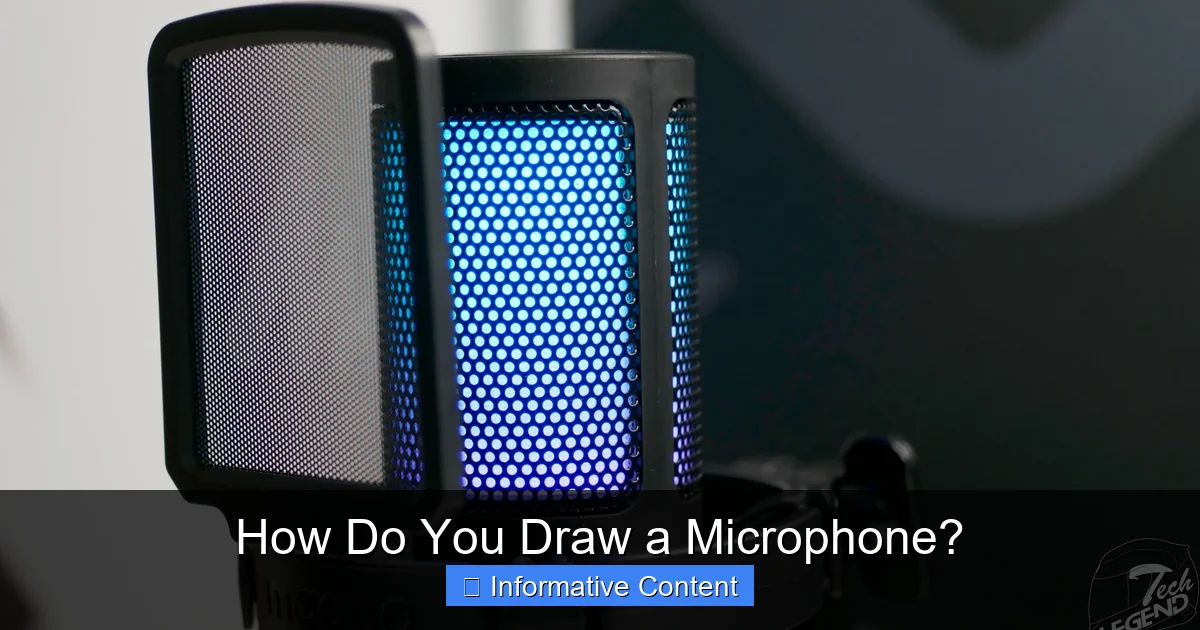
Visual guide about Microphone
Image source: tech-legend.com
- Draw the Body Cylinder: Begin by drawing a long, slightly tapered cylinder for the main body of the microphone. Think of it as a vertical oval at the top and bottom, connected by two parallel vertical lines. Make it tall enough to resemble a handle.
- Add the Grille Sphere: On top of the body cylinder, lightly sketch a perfect circle or slightly flattened oval for the grille. This circle should be a bit wider than the body. This is the “head” of your microphone.
- Define the Neck: Connect the bottom of the grille sphere to the top of the body cylinder with two gently curved lines. This creates a slight neck or collar where the grille meets the handle.
These simple shapes are your blueprint. Don’t press too hard; these are just guides for where everything will go.
Step 2: Refining the Body and Grille
Now, let’s start giving your microphone more recognizable form.
- Shape the Grille: The grille isn’t usually a perfect sphere; it often has a slight taper or a more elongated, rounded-off cone shape. Gently refine your initial circle or oval to reflect this. Look at your reference image. The bottom of the grille often flares out slightly to meet the body.
- Refine the Body Contour: Most microphone bodies aren’t perfectly straight. They might have a slight curve or indentations for grip. Smooth out the lines of your cylinder, perhaps adding a gentle taper towards the bottom or a subtle bulge for a comfortable hold.
- Add the Connector Base: At the very bottom of the microphone body, sketch a small, short cylinder. This is where the XLR cable plugs in. It might have a slight lip or ridge.
At this stage, your drawing should clearly resemble a microphone, even if it’s still quite basic. You’re well on your way to knowing how to draw a microphone effectively!
Step 3: Adding Details and Textures
This is where your microphone really starts to come to life! Switch to your HB or 2B pencil for these details.
- The Grille Mesh: This is a key feature. Instead of drawing every tiny hole, suggest the mesh. You can use a crosshatch pattern (overlapping diagonal lines) or a series of small, close-together dots. Make sure the lines or dots follow the curve of the grille to show its rounded form. Vary the pressure; some areas might appear denser than others.
- Rings and Ridges: Many microphones have rings or ridges, especially where the grille meets the body, or around the bottom connector. Add these details. They often have a slight bevel or shine.
- Brand Logos/Switches (Optional): If you’re drawing a specific model, you might want to add a small logo or a power switch on the body. These tiny details really help sell the realism.
- Cable Connector Details: Draw the circular pins or slot openings on the XLR connector at the base. Even if the cable isn’t visible, suggesting these details makes the mic look functional.
Remember to keep your lines clean and purposeful. Each small detail helps you truly draw a microphone with authenticity.
Step 4: Shading and Depth
Now, let’s give your microphone some three-dimensionality and make it pop off the page! This is where you bring out your softer pencils (2B, 4B) and possibly a blending stump.
- Establish a Light Source: Decide where your light is coming from. This will dictate where the highlights and shadows fall. For instance, if the light is from the top-left, the top-left parts of the mic will be brightest, and shadows will fall to the bottom-right.
- Shade the Body: Since the body is cylindrical, it will have a gradient of tones. The side facing the light will be brightest, gradually darkening as it curves away. Add a core shadow (the darkest part of the shadow) and a reflected light area (a slightly lighter strip at the very edge of the shadow, caused by light bouncing off the surface below).
- Shade the Grille: The grille is also rounded, so apply similar shading principles, but keep in mind its mesh texture. The shadows here will be softer but still convey the spherical form. Darken the mesh holes in shaded areas.
- Add Highlights: Use your kneaded eraser to lift graphite in the brightest areas, creating sharp, reflective highlights, especially on the metal parts of the grille and body. These bright spots are crucial for making your microphone look shiny and metallic.
- Cast Shadow: Don’t forget the shadow the microphone casts on the surface it’s resting on, or if it’s floating, a subtle shadow beneath it to give it weight.
By carefully applying shading and highlights, you can transform a flat sketch into a dynamic, realistic microphone drawing.
Exploring Other Microphone Types and Angles
Once you’ve mastered the classic handheld, you might be wondering about other types. Learning to draw a microphone isn’t a one-size-fits-all skill. There’s a whole world of microphones out there, and each has its own unique charm and challenges. Expanding your repertoire will make your art more versatile and interesting.
Drawing a Studio Condenser Microphone
Studio condensers often have a more rectangular or larger cylindrical body. The grille might be flat on one side, or encompass the entire top section. The key is to:
- Identify the dominant shape: Is it a large rectangle, a thick cylinder, or a unique hybrid?
- Note the grille placement: It’s usually on the front or the top, often with a visible diaphragm inside if you look closely at references.
- Pay attention to stands: These mics are almost always on elaborate shock mounts and stands, which are important contextual details.
Start with the main body block, then carve out the grille and any distinguishing features like knobs or brand plates. Shading will still follow the cylindrical or rectangular forms, emphasizing the smooth, often polished surfaces.
Different Perspectives and Angles
Don’t always draw a microphone straight-on! Experimenting with angles adds dynamism to your artwork.
- Looking Up: If the mic is angled upwards, the bottom will be more visible, and the grille might appear slightly compressed.
- Looking Down: From above, you’ll see more of the top of the grille and less of the body’s length.
- Three-Quarter View: This is a great angle to show both the front and a side, giving a real sense of its three-dimensional form. When attempting to draw a microphone from a different perspective, focus on foreshortening – how objects appear shorter or narrower when viewed at an angle.
Always start with your basic shapes, even when working with complex angles. They will guide you in maintaining correct proportions.
Microphones in Action (with Stands, Cables)
A microphone rarely exists in a vacuum. Adding context makes your drawing more engaging.
- Microphone Stands: These add height and grounding to your mic. They consist of a base, a vertical pole, and often a boom arm. Focus on the cylindrical shapes and connection points.
- Cables: The flowing, organic lines of an XLR cable can add movement and realism. Remember cables have thickness and cast shadows. Show them winding naturally rather than stiffly.
These accompanying elements not only enhance the realism but also tell a story about where and how the microphone is being used. When you learn how to draw a microphone with its accessories, you’re building a complete scene.
Tips and Tricks for a More Realistic Microphone
You’ve got the basics down! Now, let’s explore some nuanced techniques that will truly elevate your microphone drawings from good to great. These little touches are what separate a generic sketch from a lifelike representation.
Master the Mesh
The grille is one of the most defining features of a microphone. Making it look realistic is a game-changer.
- Vary Density: The mesh isn’t uniformly dense everywhere. Where the grille curves away from the viewer, the mesh might appear denser and darker because you’re seeing more layers of it. Closer to the viewer, it will seem more open.
- Suggest, Don’t Draw Every Hole: Trying to draw every single tiny hole in the mesh will drive you crazy and likely look too busy. Instead, use a subtle crosshatch pattern, stippling (lots of tiny dots), or very short, broken lines. The key is to suggest the texture rather than explicitly draw it.
- Curvature: Ensure your mesh lines follow the curve of the grille. If the grille is spherical, the lines should curve slightly around its form. This helps sell the 3D illusion.
Practicing just the mesh on its own can be a valuable exercise to help you truly draw a microphone’s most iconic element.
The Power of Reflection
Microphones are often made of metal, which means they reflect light! Adding reflections is crucial for realism.
- Sharp Highlights: Use your eraser to create crisp, bright spots where light hits the metallic surfaces directly. These aren’t just patches of white; they often have sharp edges.
- Reflected Environment: If the microphone is in a specific setting (e.g., a stage with spotlights), you might subtly hint at those lights or colors in the reflections on the microphone’s body. These aren’t just random bright spots, they are tiny windows to the world around it.
- Edges and Bevels: Reflections are particularly strong on the edges and bevels of metal components, like the rings around the grille or the bottom connector.
Understanding how light bounces off surfaces is a fundamental aspect of how do you draw a microphone that looks genuinely metallic.
Cables and Connections
Don’t underestimate the impact of a well-drawn cable!
- Organic Flow: Cables are flexible. Let them curve and coil naturally. Avoid stiff, straight lines unless the cable is specifically taut.
- Thickness and Weight: Cables have volume. Draw two lines for the cable, not just one, to show its thickness. Also, consider its weight – it will sag and drape.
- Shadows: Like any object, a cable casts shadows on itself and on surfaces beneath it. These shadows add depth and help integrate the cable into the overall scene.
These often-overlooked details can significantly enhance the believability of your microphone drawing.
Practice Makes Perfect
This isn’t really a “trick,” but it’s the most important tip of all. The more you practice, the better you’ll get. Don’t be afraid to make mistakes; they’re part of the learning process. Try drawing microphones from different angles, with different types of lighting, and even different models. Each drawing is a learning opportunity, refining your eye and your hand skills. The more you engage with the process of “how do you draw a microphone,” the more intuitive it becomes.
What Does Your Microphone Represent?
Beyond just replicating an object, drawing a microphone can be a powerful way to tell a story or evoke a feeling. A microphone isn’t just a piece of equipment; it’s a symbol of voice, performance, communication, and impact. Thinking about what your microphone represents can add another layer of depth to your artwork.
Storytelling with Sound Tools
Consider the context of your microphone drawing:
- Stage Performance: A mic drawing might represent excitement, music, and energy. You could add dynamic lines or dramatic lighting.
- Podcast Studio: It could symbolize thoughtful conversation, sharing ideas, or intimate connection with an audience. Perhaps a more minimalist style would fit here.
- News Reporter: This might suggest urgency, truth, or breaking stories. A hand holding the mic firmly could convey this.
By thinking about the narrative, you can adjust your drawing style, composition, and even the type of microphone you choose to draw to better convey your message. When you learn how to draw a microphone, you also learn how to imbue it with meaning.
Drawing for Different Contexts
Are you drawing for a comic book, a realistic illustration, a logo, or a simple doodle?
- Comic Art: You might exaggerate certain features or use bold outlines.
- Technical Illustration: Precision and accurate proportions would be key.
- Logo Design: Simplicity and strong, recognizable forms would be paramount.
The way you approach drawing a microphone will naturally adapt to its intended use. Understanding these different applications can guide your artistic choices, making your microphone drawing suitable for a wide range of creative projects.
Conclusion
Congratulations! You’ve journeyed through the comprehensive process of how to draw a microphone, from gathering your tools to adding those crucial realistic details. We’ve broken down the iconic handheld mic, explored other types, and armed you with tips to make your drawings truly stand out. Remember, drawing is a skill that improves with practice and patience.
The next time you sit down with your sketchbook, don’t just see a microphone; see a collection of basic shapes, light and shadow, and intricate textures waiting to be brought to life. Keep practicing, keep observing, and most importantly, keep enjoying the creative process. Now, go forth and draw amazing microphones that look ready to capture the world’s sound!
🎥 Related Video: How To Draw A Microphone | Drawing Lesson | ZOOSHii
📺 zooshii
Hi zoostars! Learn how to draw a mircophone step by step in this drawing lesson! Happy drawing! With love, ZOOSHii x …
Frequently Asked Questions
What’s the best way to start when I want to draw a microphone?
The best way to begin is by breaking the microphone down into basic geometric shapes like cylinders, spheres, and rectangles. Lightly sketch these foundational forms first to establish the overall proportion and placement of the microphone’s main components.
How can I make the mesh grille look realistic when drawing a microphone?
To make the mesh grille realistic, avoid drawing every individual hole. Instead, suggest the texture using subtle crosshatch patterns, stippling, or tiny, close-together lines that follow the curve of the grille. Vary the density of your marks to show how the mesh appears darker or lighter depending on its curvature and distance from the viewer.
Are there different types of microphones I should learn to draw?
Yes, there are many types! Beyond the classic handheld dynamic microphone, you can explore studio condenser microphones (which are often larger and more varied in shape), ribbon microphones, or even tiny lavalier mics. Learning different types expands your artistic range and understanding of their unique forms.
What materials do I need to draw a microphone effectively?
You’ll primarily need pencils of varying hardness (e.g., 2H, HB, 2B), a good quality eraser (kneaded or vinyl), and drawing paper. Optional tools like a blending stump for smooth shading, a ruler for initial guides, and reference images of microphones can also greatly enhance your drawing process.
How do I add depth and realism to my microphone drawing?
Adding depth and realism comes down to effective shading and highlighting. Establish a clear light source and apply varying tones of graphite to create gradients on the cylindrical body and spherical grille. Use sharp highlights (often with an eraser) on metallic surfaces and cast shadows to make the microphone appear three-dimensional and grounded.
Can I draw a microphone from different angles easily?
Yes, you absolutely can! The key is to start with the basic shapes even when working with different perspectives. Practice observing how foreshortening affects the appearance of the microphone’s parts from various angles (e.g., looking up or down, or a three-quarter view) to maintain correct proportions and a dynamic feel.
